 laGuest
Let guests order directly from you
Menu, delivery, pickup, table booking and online payment — on your restaurant's own website. The menu comes live from the laCafe panel, orders land in your POS, and guests come back for cashback and rewards.
The website works on phones and computers — guests order without installing anything.
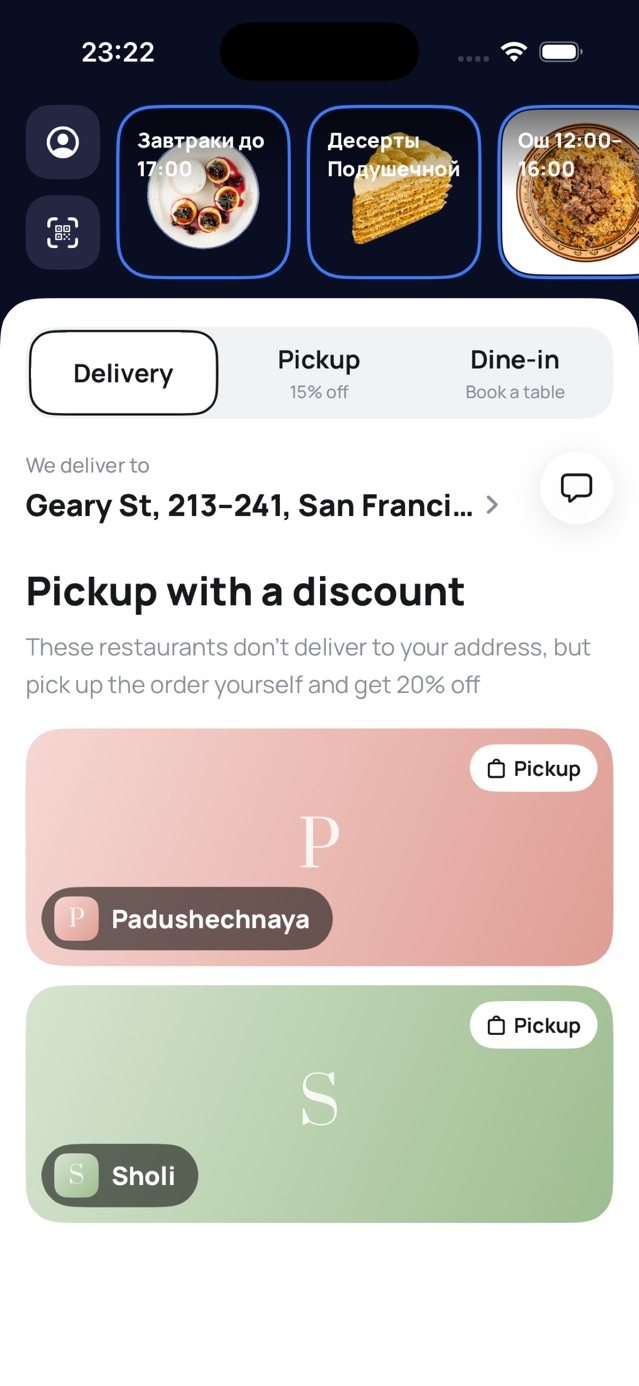
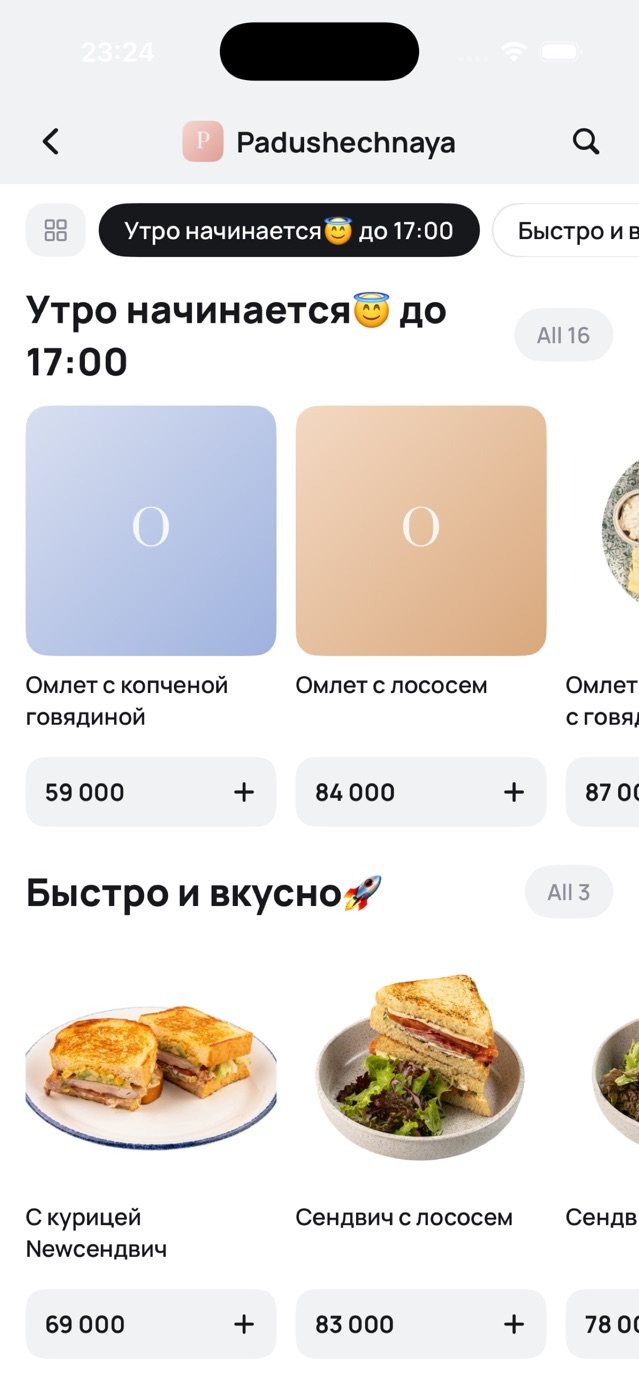
Guests order the way they like
Services are switched on per branch. Delivery zones and fees, opening hours and temporary closures are per branch too.
Your own sales channel, no aggregator commission
laGuest is part of the laCafe ecosystem: already connected to your menu, customer base, marketing and POS. Nothing to re-enter or sync.
Live menu
Sections, dishes, modifiers and the stop list come from the laCafe panel. Change a price once — the website updates itself.
Online payment
Cash or online: Payme, Click, Uzum and WLCM. You choose which accounts to offer guests.
Guest account
Sign in with an SMS code, no password. Order history, saved addresses, cashback, referrals and rewards.
Marketing
Stories, banners, pop-ups and an events board — all managed from the laCafe panel.
Brands and branches
Several brands and branches on one website. Each brand has its own menu and page.
Your domain, 3 languages
Connect an address like restoran.uz with a TXT record. The website speaks Uzbek, Russian and English.
From choosing to paying in a few taps
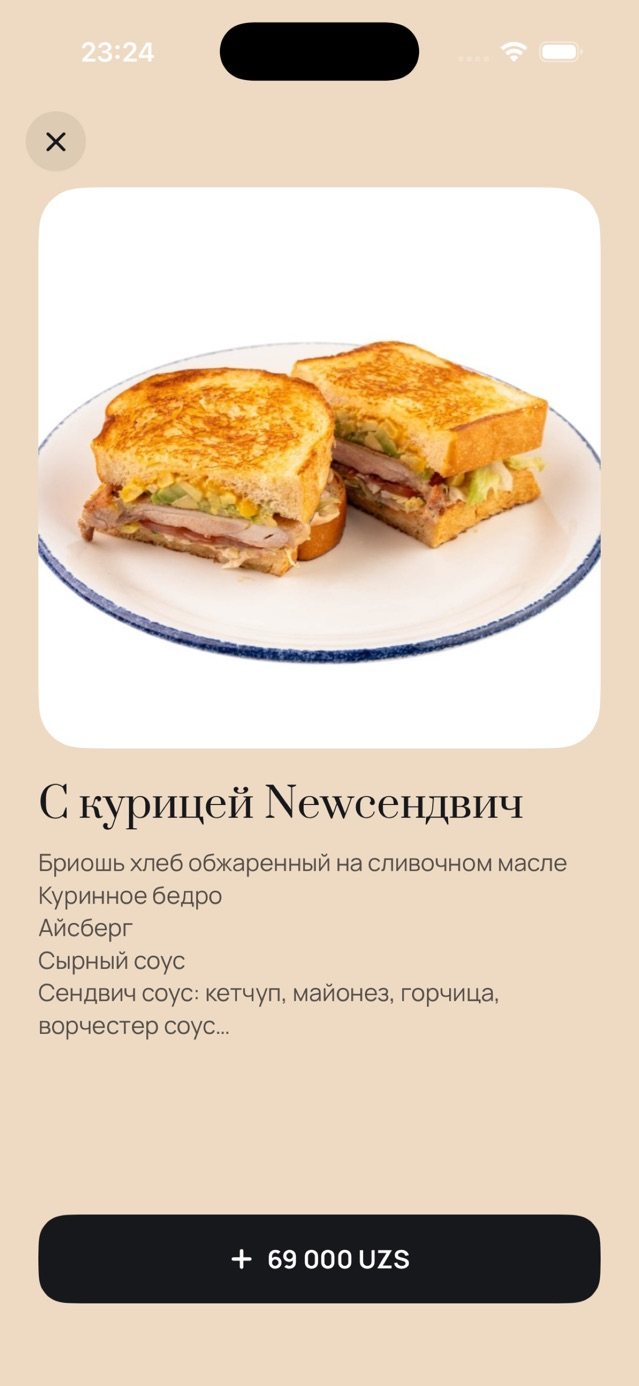
- Large photo, ingredients and add-ons right in the dish sheet
- Notes for the kitchen: “not spicy”, “no onions”
- Sold-out dishes hide automatically via the stop list
- Live order status: accepted, cooking, on the way
- Your style: the restaurant's logo, colours and stories
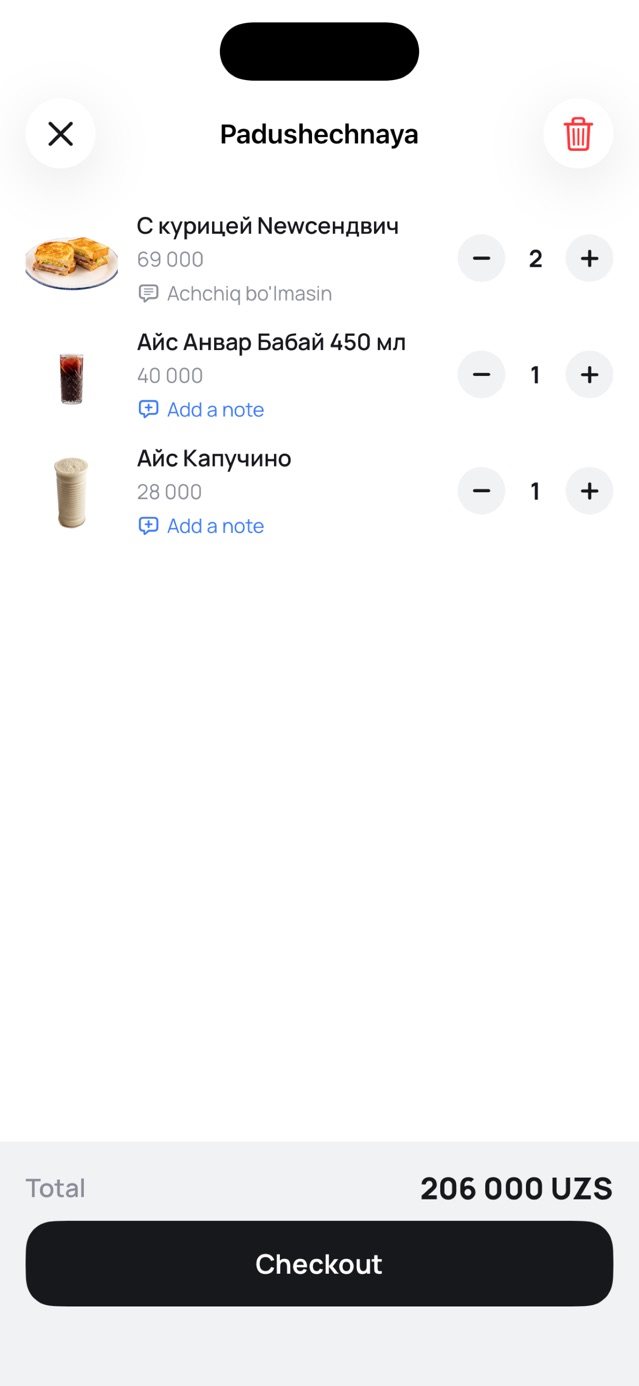
Be wherever your guests are
The main channel is the website: put the link in Instagram, Telegram or Google Maps. If you like, we'll also publish an iOS app under your brand.
Guest website
Opens on any phone or computer. Added to the home screen, it works like an app.
laGuest on iPhone
The laGuest app on the App Store — try what your guests see: menu, cart, ordering.
Your branded app
A separate App Store app with your restaurant's name, icon and colours. Same code — the same menu and account as the website.
Install it in your restaurant
laGuest websites run through the laGuestWeb app on the laCafe store. Once installed, the menu, branches and customers come from the laCafe panel.
- Sign in to the laCafe panelNo account yet — get connected at lacafe.uz.
- App store → laGuestWeb → InstallThe app connects to your menu and branches in one tap.
- Create the websiteIn settings, choose the name, services, payment methods and domain — your link is ready.
Frequently asked questions
Where do orders go?
To laCafe: they show up in the operator panel and, if a POS is connected (iiko, Poster and others), are sent there as well. Courier and dispatcher apps work with the same order.
Where do I fill in the menu?
In the laCafe panel menu: sections, dishes, photos, prices, modifiers and translations. Nothing needs to be entered separately for the website.
Do guests have to install an app?
No. The website opens in the browser and, added to the home screen, works like an app. Guests sign in with an SMS code — no password.
Can I use my own domain?
Yes. Add an address like restoran.uz or order.restoran.uz in the app settings and confirm it with a DNS TXT record. The certificate is issued automatically.
How many websites can a restaurant have?
As many as you need — for example, one per brand, or separate sites for delivery and dine-in.